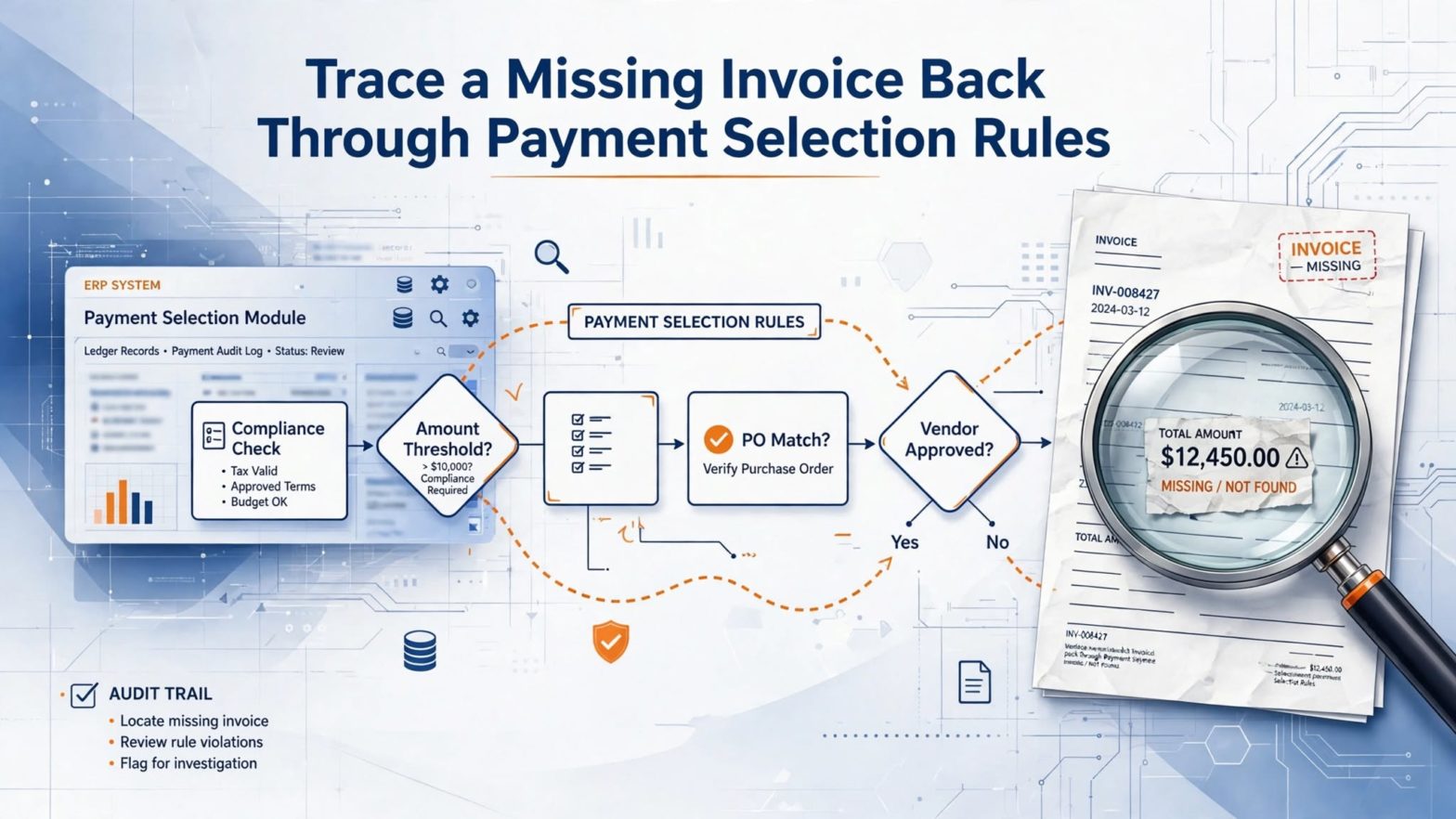
Perusta sinäkin oma Blogaaja.fi blogi ilmaiseksi >>
Lainaa.com

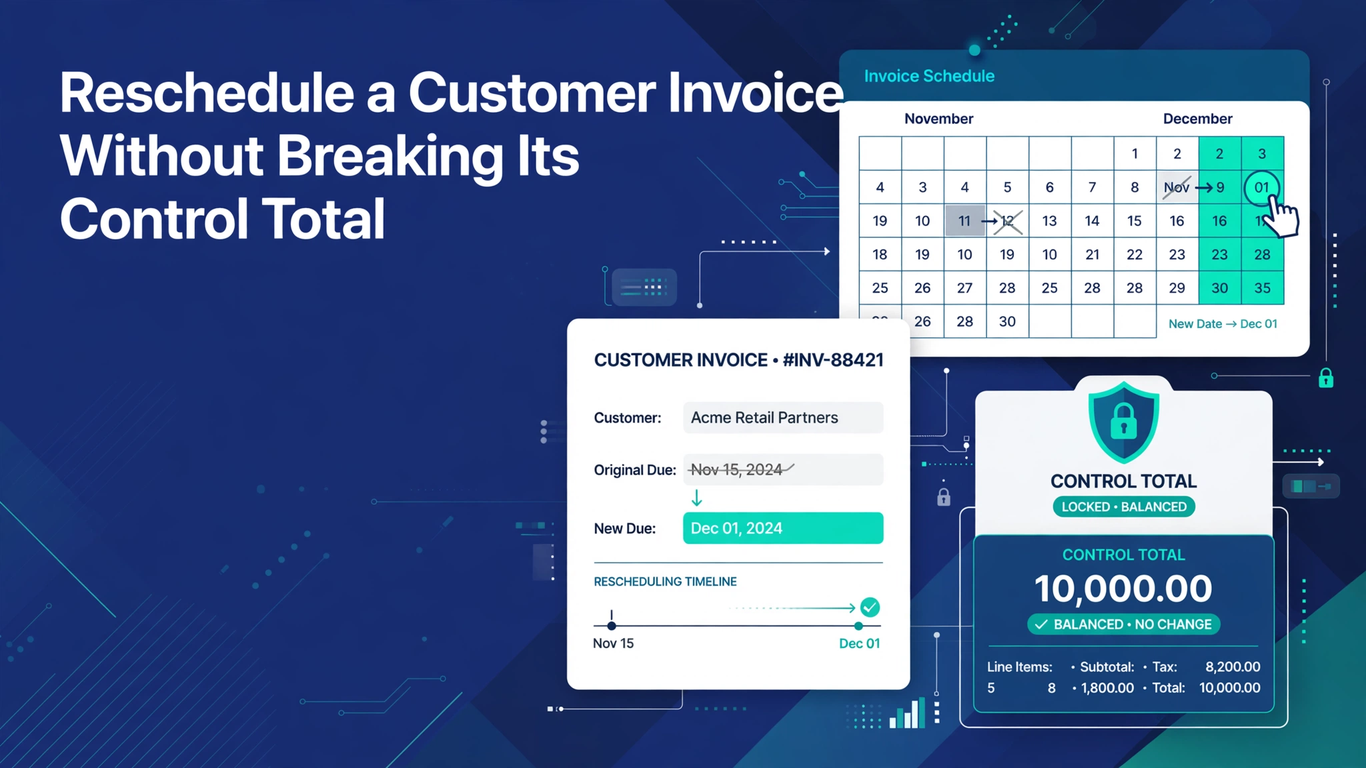
Reschedule a Customer Invoice Without Breaking Its Control Total

Introduction

A customer wants to split a completed $90,000 invoice into three installments after already paying $15,000. At Tech Leads IT, we use this case in Oracle Fusion Financials Training to show how one request touches approvals, live receivables data, and an open Collections promise. The API call is only one step.

Our Oracle Fusion Financials Online Training learners practice finding the right invoice, protecting applied amounts, adding positive installments, and keeping the total intact. Every Oracle Fusion Financials Course should teach that the real goal is a clear schedule someone can reconstruct later, including approvals, collections impact, and the arithmetic. 

Approve the Commercial Schedule Before Calling the API

Before anyone opens a REST client or writes a line of integration code, the customer’s request needs a paper trail. Write down what the customer asked for, why they asked, the dates you agreed, the revised amounts, and the role that signed off. Then confirm the request really is about timing. If the customer is also hoping for a discount, a waived charge, or a lower invoice total, that is a different conversation, and it does not belong in a reschedule.

In our example, the deal might keep the $15,000 already applied, leave enough on the existing installment to cover it, and push the remaining balance into two later installments. Depending on your policy, Collections, credit, and accounting may all need to know before anything changes. The rule of thumb is simple: an integration should consume an approved schedule. It should never build one out of a loosely worded email.

The easiest way to enforce that is a control table. For every line, list the invoice identifier, transaction date, transaction amount, current installment sequence and identifier, amount already applied, proposed amount, and proposed due date. Add a total row and insist that it equals the invoice amount before any payload gets built. Keep the original schedule right beside the proposal so a reviewer can see every change. If an installment is being cut down to zero, show that openly rather than letting it look like a deletion. This small table catches missing and duplicate rows that a perfectly valid request would never explain on its own.

Retrieve the Live Invoice State and Stable Identifiers

Next, go and look at the invoice as it is right now. Use the invoice retrieval operation to find the target invoice and pick up the sequence number and installment identifier for each installment you plan to touch. Please don’t trust a customer name, an invoice number copied from an email, or an identifier sitting in an old extract.

Check the business unit, customer, currency, completion status, transaction amount, transaction date, existing installments, applied amounts, and any relevant statuses. If anything differs from the control table, stop. Send it back for review instead of squeezing the prepared payload through.

Timing matters too. A receipt, adjustment, dispute, automatic receipt selection, or another schedule change can land between approval and execution. Note when you retrieved the data, and compare again just before you submit if your process allows it. A great test is to add a new receipt after the first retrieval and confirm that the integration refuses to lower an installment below the newly applied amount. When the state has gone stale, the right move is to retrieve again, recalculate, and get fresh approval where needed. Retrying the same data until it happens to work is not a strategy.

Why Oracle Fusion Financials Online Training Should Cover Eligibility Rules

Oracle documents a custom action called splitInstallments in its Receivables invoice installment REST API. It can create a new installment or update an existing installment’s amount and due date, and it comes with firm boundaries. The invoice must be complete. Updates are not available when the invoice is pending approval, sits in a pending automatic receipt batch, uses balance forward billing, is included in a bill receivable, has a pending installment adjustment approval or a pending dispute approval, or when the installment is already closed. The due date update profile also has to allow the change. Check all of this up front, and return a clear business reason whenever a request is blocked.

Eligibility is not only about pristine, unpaid invoices. Supported cases can include accounted or unaccounted invoices, ledger or foreign currency, printed or unprinted status, partial payments, unapplied receipts, credit memo activity, approved adjustments or disputes, collection strategy activity, promises, and installment notes. That long list is exactly why inspecting the current state matters so much.

This is where hands-on practice earns its keep. Build a test for each condition your organization cares about. One successful run against an unpaid invoice does not prove that every invoice can be rescheduled, and you should never get around a blocked status by editing unrelated transaction data. A learner who understands why the service says no is far better prepared than one who has only seen it say yes.

Protect Applied Amounts, Dates, and the Invoice Total

Now for the arithmetic. An existing installment cannot go below the amount already applied to it. A new installment has to be greater than zero, although an existing one can be updated to zero. Closed installments cannot change amount or due date, and installments cannot be deleted. A revised due date has to fall on or after the transaction date. Above all, the installment amounts must add up to the transaction amount.

Write these rules as deterministic checks in your own code, and run them again against the response. Don’t wait for the service to be your first line of defense. When your own validation fails, you know exactly which rule was broken, which is much more useful than a generic error from downstream.

Using the $90,000 example, test one valid schedule and several near misses:

  • Drop the first installment to $14,000 even though $15,000 is applied.
  • Create a new installment at zero.
  • Use a due date earlier than the invoice transaction date.
  • Leave out one of the proposed installments.
  • Produce a total of $89,999.

Each of these should fail before submission, with a message tied to the rule it broke. Then run the valid schedule and check that the response and a fresh retrieval both show exactly the approved sequence, amounts, and dates, with the invoice total unchanged.

What an Oracle Fusion Financials Course Should Teach About Collections

Here is the part people forget. Updating an existing installment automatically cancels any open promises in Advanced Collections on that installment. That is a real consequence, not a footnote. Before you run anything, find the open promises and tell the responsible collector, following your policy. A collector who discovers the cancellation on their own, days later, will rightly wonder what else changed without warning.

Afterward, confirm that the cancellation happened and decide whether a new promise should be recorded against the revised schedule through your normal governed process. Do not recreate a promise automatically unless you have confirmed that it still reflects what the customer actually committed to. A promise copied forward by a script is only a guess about the customer’s intentions.

The invoice schedule and the collection record serve different purposes, but together they should tell one coherent story. A solid Oracle Fusion Financials Course treats this link between modules as a core lesson, because real receivables work rarely stays inside a single screen or a single team.

Putting the Whole Scenario Together

It helps to see the full sequence in one place. The customer asks, and the request is approved with dates, amounts, and an authorizing role on record. The control table is built and the totals are checked. The invoice is retrieved and compared with the table, and any open promises are identified and communicated to Collections. Eligibility is tested against the documented statuses, and the payload is checked against the amount, date, and total rules. Only then is the request submitted.

After submission, the response is validated, a fresh retrieval confirms the new schedule, and the cancellation of promises is verified. Collections decide whether to record a new promise, and the documents are filed for later review. None of these steps is complicated by itself. The value comes from doing them in order, every time, and from refusing to skip a step because the request looked simple.

Build Oracle Fusion Financials Training Around Evidence, Not Just Success

Keep the approved control table, the retrieval snapshot, the request payload, the response, the correlation identifier, the execution time, the identity of the operator or integration, and the post-update retrieval. Reconcile the old and new schedules line by line, and note how receipts, promises, disputes, and adjustments were handled. Keep credentials and unnecessary customer details out of your logs.

Retries need thought as well. If a request times out, you cannot assume it failed. Build in idempotent behavior or a current-state check so a second attempt does not create another installment after the first one actually went through. Good logging should make duplicate prevention and investigation easier, without turning into a second, uncontrolled copy of your receivables data.

Conclusion 

Rescheduling an invoice is safe only when the approval, the live transaction state, the API rules, and the collections follow-up all agree. Retrieve the exact identifiers, reject blocked statuses, protect applied amounts, and prove the new schedule equals the invoice total. Good Oracle Fusion Financials Online Training also covers the automatic cancellation of open promises and a fresh retrieval to confirm the result.

A successful service response is not enough. In Oracle Fusion Financials Training and any Oracle Fusion Financials Course, success means the approved schedule appears once, with correct amounts, correct dates, and consequences anyone can audit later. 
How Much SQL Does an Oracle Fusion Technical Consultant Need to Know?


Introduction

Almost every beginner who wants to become an Oracle Fusion technical consultant asks the same thing early on: do I really need to be good at SQL? At Soft Online Training, we hear this question in nearly every first-day batch of our Oracle Fusion Technical Training in Pune. The honest answer is yes, but you don’t need to be a database wizard. You need the right kind of SQL, used in the right places. Let’s break down what that looks like in a real project. 

Why SQL Matters So Much in Oracle Fusion Technical Work

Oracle Fusion runs on an Oracle database. Every invoice, employee record, journal line and purchase order sits in tables. When a business user says ”this report is showing the wrong numbers,” someone has to look at the data and work out why. That someone is usually the technical consultant.

SQL is how you ask the database questions. Without it, you are guessing. With it, you can check whether a record exists, whether a status is what the screen claims, and whether two reports are pulling from the same source. Most technical tasks in Fusion, such as building reports, validating data loads and supporting integrations, depend on this ability. That is why any solid Oracle Fusion Technical Training in Pune program spends real time on SQL before moving to the bigger tools. 

The SQL Basics You Cannot Skip

Let’s start with the foundation. If you are new, focus on these first:

  • SELECT statements with specific columns instead of the lazy ”SELECT *”.
  • WHERE conditions using AND, OR, IN, BETWEEN and LIKE.
  • ORDER BY and DISTINCT for sorting and removing duplicates.
  • Aggregate functions such as COUNT, SUM, MIN, MAX and AVG.
  • GROUP BY and HAVING to summarize data by supplier, ledger, department or period.

This is the layer you will use every single day. A consultant who can write these confidently can already answer a surprising number of support questions. You don’t need advanced tricks here. You need accuracy and speed.

Joins: The Skill That Separates Beginners From Working Consultants

If there is one topic worth spending extra weeks on, it is joins. Fusion data is spread across many tables. An invoice header lives in one place, its lines in another, the supplier in a third. To build anything useful, you have to connect them correctly.

You should be comfortable with inner joins, left outer joins and the occasional self join. More importantly, you should understand why a join returns duplicate rows or drops rows you expected. Wrong joins are behind most ”my report total doesn’t match” complaints. This is also where good Oracle Fusion Technical Training in Pune courses use real Fusion table structures rather than made-up employee and department examples, because the practice transfers directly to the job.

SQL for BI Publisher and OTBI Reports

Reporting is where most new consultants first meet SQL on the job. In BI Publisher, you write a SQL query as the data model, then attach a layout to it. The query decides what data shows up, so a weak query means a weak report.

For this work, you should know:

  • Subqueries and inline views to break complex logic into smaller steps.
  • Date functions like TO_DATE, TRUNC and ADD_MONTHS, since almost every report filters by period.
  • String functions such as SUBSTR, INSTR, UPPER and NVL for cleaning output.
  • Bind parameters, so users can pick a ledger or date range at runtime.

OTBI is a bit different because it is more drag-and-drop, but understanding SQL still helps you see what the tool is doing behind the screen and why a subject area behaves the way it does.

Intermediate SQL for Data Migration and Integration

The next layer shows up when you work on data loads and integrations. When you use FBDI or HCM Data Loader, files go in, and then you have to confirm what actually landed. Interface tables, error tables and base tables all need checking.

Here, analytic functions such as ROW_NUMBER, RANK and LAG become very handy. They help you find duplicates, pick the latest record per employee, or compare one row to the previous one. You should also be comfortable with CASE expressions, UNION and UNION ALL, and basic set logic like MINUS for comparing two data sets.

Many consultants say this is the stage where SQL stops feeling like an exercise and starts feeling like a real tool. If you are looking at Oracle Fusion Technical Training in Pune to build these skills, check that the course covers data validation queries and not only report writing.

How Deep Does PL/SQL Go?

People often mix SQL and PL/SQL, so let’s separate them. SQL is for querying. PL/SQL is the programming layer for procedures, functions, packages and triggers.

In Oracle Fusion Cloud, you have limited direct database access compared to the old E-Business Suite days. You usually cannot create custom database objects on the Fusion database itself. That means heavy PL/SQL is less common than many beginners fear. Still, a working knowledge helps, especially for:

  • Understanding how loops, variables and exception handling work.
  • Reading existing code during upgrades or when supporting hybrid setups.
  • Working on Oracle Integration Cloud or database-side components in related projects.

Our advice is simple. Learn PL/SQL basics, but don’t let it delay your Fusion progress. SQL depth matters more.

Common Mistakes to Avoid

A few patterns hold learners back. Some memorize syntax without understanding the data. Others skip joins and then struggle with reports. A few rush into Fusion tools before SQL feels natural. Take your time with the foundation, and everything after it gets easier.

Conclusion

So, how much SQL does an Oracle Fusion technical consultant need? Enough to read data confidently, build accurate reports, validate loads and explain what the numbers mean. That means strong basics, very solid joins, comfortable intermediate functions and a working idea of PL/SQL. You don’t need to know everything, but you do need to know the core well. If you want guided practice with real Fusion scenarios, Soft Online Training offers structured support to help you build these skills step by step, and choosing the right Oracle Fusion Technical Training in Pune can turn SQL from a worry into your strongest advantage.  

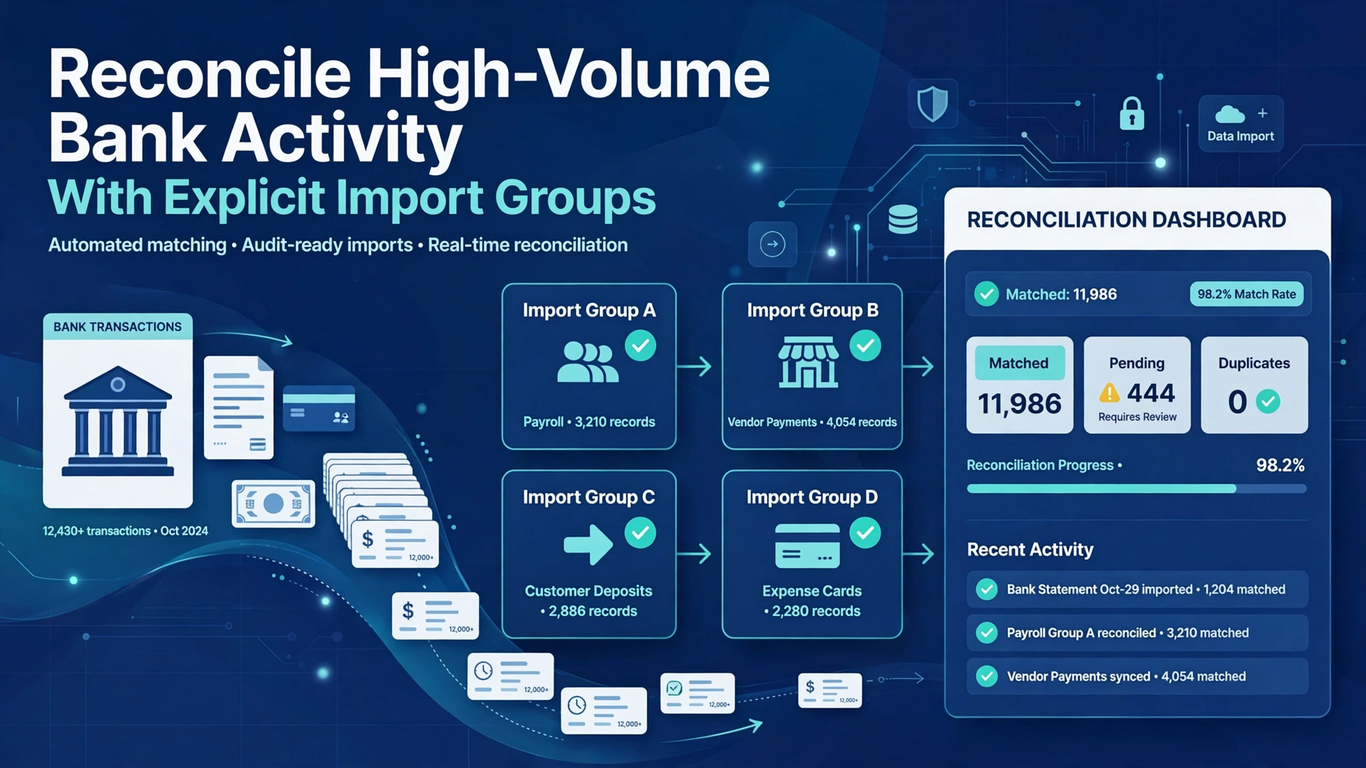
Reconcile High-Volume Bank Activity With Explicit Import Groups

Introduction

Imagine a clearing account with hundreds of journal lines and a bank statement that shows just one deposit per day, plus a few separate fees. Soft Online Training uses this scenario in its Oracle Fusion Financials Training in Pune sessions to show why matching item by item is slow, and why matching on equal totals can pair unrelated transactions.

Mass reconciliation in Oracle Fusion gives you a middle path. You export the unreconciled items, assign groups in a spreadsheet, and import them for processing. The spreadsheet saves time, but someone still has to explain why each line sits in its group. 

Why Export Scope Matters in Oracle Fusion Financials Training in Pune

Open Manual Reconciliation, pick the bank account, and set statement and transaction date ranges. Skip the dates and the application pulls unreconciled statement lines and system transactions from the last 180 days. For a daily clearing review that is far too wide, and old exceptions can look a lot like current activity. Before exporting, write down the bank account, start and end dates, expected sources, statement identifiers, and the control total.

The export opens as the Transactions Available for Reconciliation Report in a spreadsheet. Save an untouched copy and do your work in a second one. Check that each expected statement line and system transaction shows up once. If something falls outside scope, note why instead of quietly deleting it. Deposits, fees, reversals, and journal lines should be separated by reference and date. Matching amounts are a hint, nothing more.

Build Groups That Reflect the Real Match

Give every bank and system record that belongs together the same reconciliation group value. A group can be a simple pair or several journal lines against one consolidated deposit. Each group needs its own identifier, and a small control sheet should record the statement total, system total, difference, reason for the grouping, preparer, and reviewer. Never reuse an identifier just because two unrelated sets happen to net to zero. The identifier is your claim that those records belong to one event.

Tolerance deserves care. Oracle’s documentation on how mass reconciliation is processed explains that the tolerance rule set on the bank account is applied to grouped transactions. So a group within tolerance can process even when its members have no real connection. Reviewers need to check both the arithmetic and the correspondence. A fee that doesn’t belong in a deposit group stays out of it and gets its own supported treatment. Tolerance covers approved variance. It should never be used to force a balance.

Move Approved Groups Into the FBDI Template

Once the groups are reviewed, copy the reconciliation details into the current Cash Management Bank Statement Reconciliation Data Import FBDI template. Leave the column order alone and follow the template’s instructions rather than turning your analysis workbook into an upload file. Identifiers must point to the exact statement lines and transactions you exported. Have a second person compare record counts, group identifiers, source categories, and totals between the approved file and the prepared import before generating the CSV.

Then submit the Load Interface File for Import with Autoreconcile Bank Statements. Keep the file name, process IDs, submission time, and preparer. A successful load only means the records reached the interface. Automatic reconciliation decides which groups actually meet the rules. Keep that difference visible in your checklist and in status updates to the close team.

Handle Exceptions Without Redoing Everything

The Automatic Reconciliation output lists reconciled groups and exceptions. Tie its counts and totals back to what you submitted, then go through the exceptions group by group. Typical causes include a wrong identifier, a transaction that is no longer available, a tolerance breach, a duplicate assignment, or a mismatch in the intended population. Fix the specific source record or import row and resubmit only what needs it. Rebuilding every group to clear one exception can disturb matches that already worked and blurs the review trail.

Afterward, look at the completed groups on Manual Reconciliation. Confirm the account, lines, transactions, date, amounts, and grouping. For a consolidated deposit, trace each journal line to its batch evidence and make sure none appears in a second group. A reviewer should be able to go from statement to system record and back without relying on the preparer’s memory.

Practice Scenarios for Oracle Fusion Financials Training in Pune Learners

Build a small test case: one consolidated deposit against four journal lines, a separate fee, and two deposits of the same amount on adjacent days. Give one journal line a reference that points to the wrong deposit, and place another just outside tolerance. Learners should build groups from reference, date, amount, and source, not from totals alone. The exceptions that come back should be easy to predict. Fix one error at a time and confirm that only the intended group changes after resubmission.

Track your metrics separately: exported records, submitted records, reconciled groups, exception groups, and intentionally excluded items. Each answers a different control question, and they should tie across the export, group schedule, FBDI file, process output, and inquiry. If a count moves, find the exact records and the reason before closing the task. High volume hides differences more easily, so scaled reconciliation needs firmer population control than an occasional manual match.

Conclusion

Every imported group is a claim that someone has reviewed and can defend. Scope the export carefully, keep the original population untouched, and build groups from solid evidence. Treat tolerance as a limit, not a shortcut for forcing a match. That discipline is what keeps a high-volume close trustworthy.

Anyone taking Oracle Fusion Financials Training in Pune should also practice the steps that follow grouping. Load the approved identifiers into the official template, track the load separately from reconciliation, resolve exceptions group by group, and confirm the results in inquiry. Spreadsheets give you scale, and evidence gives you control.  

Settle Cross-Currency Netting Through One Controlled Currency


Introduction

Imagine a regional distributor that owes suppliers in euros, bills customers in pounds, and wants the net amount settled in US dollars. At Tech Leads IT, we see this scenario often in Oracle Cloud Financials Online Training, because it looks like simple netting but isn’t.

Same-currency netting only asks whether balances are offset. Cross-currency netting also depends on transaction currency, payment currency, conversion rates, and the settlement currency. In Oracle Cloud Financials Training Online, we teach learners to fix that one controlled currency before the run, since a converted total that looks right can’t save a badly defined agreement.  

Define the Agreement Before You Build the Population

Begin with the relationships that are genuinely eligible for netting. Confirm the supplier and customer parties, the legal entities and business units, who owns the payable and receivable sides, and the approved scope of the agreement. Then record the settlement currency separately from the currencies printed on the invoices and receivables transactions.

This separation heads off a very common mistake: treating every currency field as if it describes the same amount. A payable can carry one transaction currency and a different payment currency, while the agreement decides what currency the final balance is settled in.

In our scenario, the treasury can propose dollars, but only after both sides agree it’s workable and the payment arrangements support it. The agreement should use the rule for netting across currencies, not the same-currency rule. Its Payables Invoice Currency and Receivables Transaction Currency selections can name one currency or allow all of them. Choosing all currencies widens the candidate pool, but it doesn’t mean every open item is automatically authorized, and it doesn’t excuse anyone from knowing which documents will be converted.

Why Payment Currency Decides Payables Eligibility in Oracle Cloud Financials Online Training

On the payables side, one condition does most of the work: the invoice’s payment currency has to match the agreement’s settlement currency. A euro supplier invoice set up to be paid in dollars can fit a dollar settlement design, as long as it meets the other agreement criteria. A similar euro invoice whose payment currency is still euros won’t qualify.

That’s why anyone investigating a missing invoice should compare both fields rather than assuming all euro documents behave alike. It’s also why changing a payment currency just to get an invoice admitted is a bad shortcut. It changes the payment intent, so it needs your organization’s normal authorization and source-data controls.

Oracle’s readiness guidance on cross-currency settlements in netting separates invoice currency from the receivables transaction currency choice now supported in agreement import. For the FBDI setup, the cross-currency rule uses its documented lookup value. Invoice currency can be a specific currency or blank for all, and transaction currency works the same way. The payment currency column holds the settlement currency. Read those columns together as one definition. An import that loads without errors still doesn’t prove the blank fields describe the narrow population the business owner had in mind.

Get Every Conversion Rate Ready Before the Run

Every conversion rate the run needs must exist before settlement processing starts. That covers cross-currency rates and the payment conversion rates tied to the selected documents. A simple rate matrix helps here. List each source currency, the settlement currency, the rate type and date your policy requires, and some evidence that the rate is actually available.

For the distributor, the matrix needs to cover the euro payable path and the sterling receivable path, both into dollars. Don’t assume one quoted market rate covers every conversion context, and don’t wait until the review stage to discover a path with no rate behind it.

It also pays to test rates with a few controlled examples where the amounts and currencies are known. Work out the expected settlement-currency amount for each one under the approved rate basis, then compare it with what processing produces. The point isn’t to replace the application’s calculation with a spreadsheet. It’s to catch a wrong currency, date, or rate setup before you commit to a much bigger population. Keep enough input detail that a reviewer can reproduce your expectation. If the numbers differ, investigate the configured conversion path. Don’t plug the difference into the net result by hand.

Treat Review as Inspection, Not Redesign

The review step for cross-currency settlement has deliberate limits. You can’t update amounts, and you can’t add or remove transactions there. That pushes the real control upstream. Validate the agreement scope, document currencies, payment currencies, parties, and rates before you launch the settlement.

If review turns up an item or amount you didn’t expect, stop. Fix the agreement or the transaction through its proper governed process, then rerun as appropriate. The review page shows you the population your rules produced. It isn’t a workspace for reshaping a batch that was poorly defined to begin with.

Agreement creation has a boundary of its own. Cross-currency agreements can be created through the application page or through the Netting Agreements Import FBDI spreadsheet, but not through REST. So if you already have automation that creates another type of netting agreement, don’t assume it will work here. When bulk configuration is needed, keep the spreadsheet inputs, the import results, and the approvals under version control.

It also helps to separate agreement creation from settlement execution in your operating procedure. That way nobody can quietly redefine the scope while presenting the work as an ordinary recurring run.

Reconcile in Settlement Currency Without Losing Source Detail

Review the output from two directions. First, check each selected payable or receivable against its original document: the party, the transaction currency, the open amount, and its eligibility. Second, reconcile its netted amount in the settlement currency, along with the total payable, total receivable, and final settlement position.

Current output adds the netted settlement-currency amount to both the Payables and Receivables worksheets. This gives everyone a shared basis for comparison without hiding the original values. Still, a clean dollar net isn’t enough on its own. It can hide an ineligible euro invoice that slipped in, or a sterling transaction that should have been included and wasn’t.

Build a Near-Match Test Pack for Oracle Cloud Financials Training Online

The best way to learn this is with documents that almost match. A practical exercise in Oracle Cloud Financials Training Online could include these five items:

  • Two euro supplier invoices that have different payment currencies
  • Two sterling receivables, one inside the approved party scope and one outside it
  • One document that needs a deliberately missing test rate

Before you execute anything, write down which items you expect to be selected and why each excluded item should fail. Then correct only the missing rate and rerun. You should see the intended population change without the invoice whose payment currency conflicts with settlement getting in.

Testing this way isolates each mechanism. It also shows whether people can tell apart document currency, payment currency, settlement currency, agreement scope, and rate availability. Those five ideas are easy to blur together when you’re only looking at converted totals.

Conclusion

Cross-currency netting works because of clear agreement and conversion logic, not because a converted balance looks reasonable. Define the eligible parties, choose the cross-currency rule, name the settlement currency, and make sure every payable’s payment currency matches it. Anyone taking Oracle Cloud Financials Online Training should practice these checks first.

Get every conversion path ready before processing, remember that the review population can’t be edited, and reconcile source documents to their settlement-currency amounts. A good Oracle Cloud Financials Training Online exercise proves that flexibility only helps when admission, conversion, review, and evidence stay disciplined from start to finish. 


Introduction

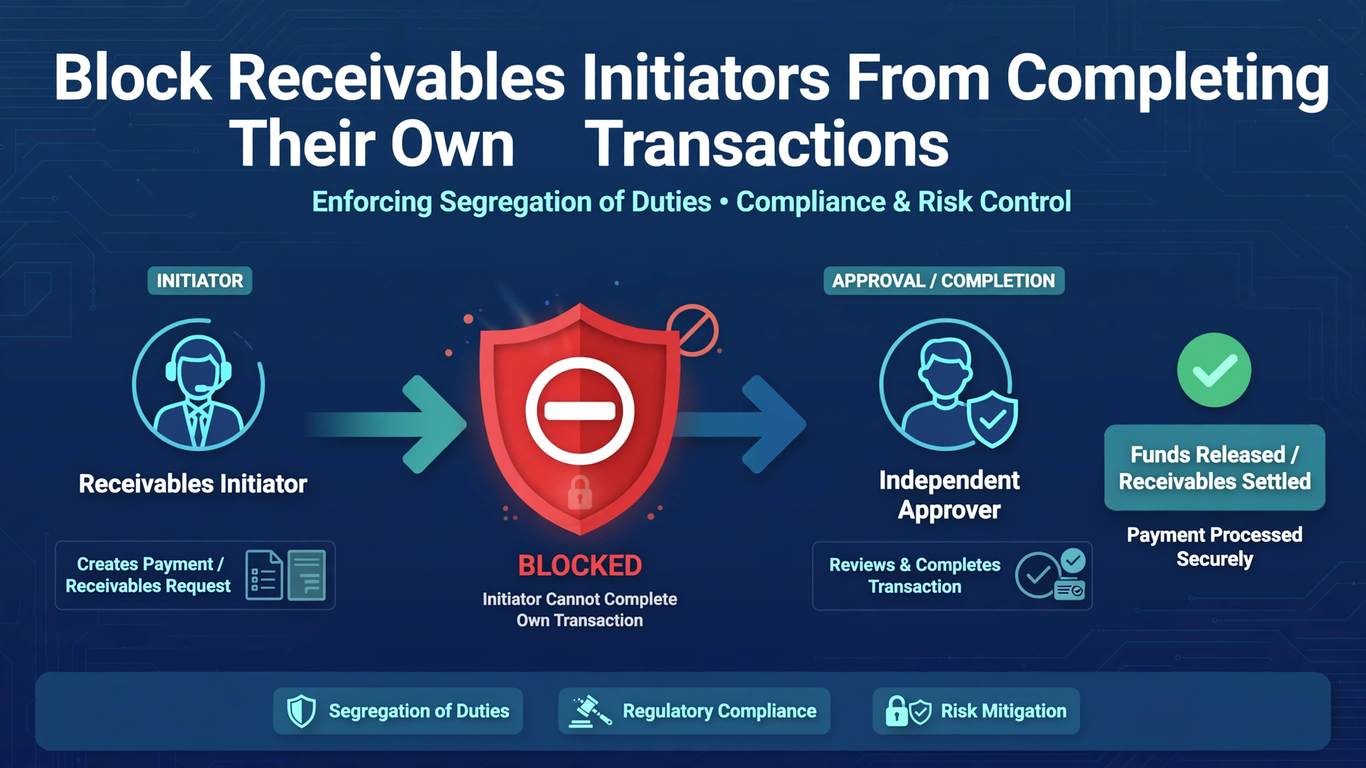
Picture a billing lead who keys in an unusual manual invoice for a major customer and holds broad approval authority. At Tech Leads IT, we use this case in Oracle Fusion Financials Training to show how role breadth can quietly defeat a control. If that person completes the invoice alone, no independent review happens.

A good test checks who started the transaction, not who is qualified to approve it. Whether you join our Oracle Fusion Financials Online Training or an Oracle Fusion Financials Course, you will learn to configure, test, and monitor this control so it holds up in practice. 

Define the Conflict in Oracle Fusion Financials Training

Start with a clear process map. Write down who enters the invoice or credit memo, who submits it, which approval rules pick the reviewers, which roles allow ordinary or force approval, and what changes downstream once the transaction is complete. Anyone going through Oracle Fusion Financials Training should see that the conflict is narrower than ”one person has two roles.” It appears when the person who initiated a particular transaction tries to review and finish that same transaction.

Completion deserves special attention in your map. Once an invoice is complete, it becomes available for receipts, collections activity, and accounting. Approval is therefore the last realistic chance for an independent person to question the customer, the amount, or the business reason before the transaction starts moving through the rest of the process.

Looking at the conflict at the transaction level helps in two ways. You avoid under-control, where a conflicted approval slips through, and you avoid heavy blanket restrictions on people who can perfectly well approve work someone else created.

A two-user example makes this concrete. Mira creates and submits a manual invoice. Dev creates a second invoice with a similar amount and source. Mira may have authority to approve receivables work, but independence means she cannot approve her own item. She can still be an eligible reviewer for Dev’s invoice, provided the configured rules and access allow it.

The pairing matters. It shows the control does not label Mira untrustworthy or strip away her approval capability. It blocks one conflicting relationship, between a user and a specific transaction that user initiated. Keep that distinction in every test script you write, because it is what separates a precise control from a clumsy one.

Set the Site-Level Profile Deliberately

The mechanism is the receivables profile option ORA_AR_ALLOW_SELF_APPROVAL. Setting it to No at Site level prevents self-approval. If you leave the default behavior alone, users can approve transactions they created or submitted whenever their other authority allows it.

Treat the change as a real configuration decision. Give it an owner, an approval, a migration record, and an effective date. A written policy that demands independent review does not enforce itself while the profile stays permissive. On the other hand, flipping the profile without operating preparation leaves teams unsure how to reassign blocked items, and that confusion tends to land on the busiest people during the busiest week.

Communication is part of the rollout. Tell billing teams what will change, which messages they may see, and who to contact when an item cannot be approved by its initiator. A short walkthrough before the effective date prevents a flood of support requests afterward.

The 26A readiness item, Prevention of Self-Review and Completion of Receivables Transactions, spells out the precedence. An initiator cannot approve the invoice even when explicitly named in the approval rules spreadsheet or given a role that allows approval or force approval. This precedence is central to testing.

So do not log a defect just because a named approver cannot act on something they originated. That is the control working. Instead, verify that a different authorized reviewer receives the pending transaction, or can reach it, and can make the independent decision. Put that expectation in the test plan before anyone starts, so nobody mistakes correct behavior for a broken setup.

Test Actions and Status in Oracle Fusion Financials Online Training

With prevention active, the initiator should not see the Approve and Rework actions on their own transaction in Pending Approval status, no matter how much authority they hold. Trying to self-approve produces a system message, and another approver has to handle the force-approval path when it is needed.

Prepare your test data before you begin. You need at least three users: two ordinary approvers and one with force-approval authority. You also need clearly labeled invoices so that anyone reading the results can tell which user initiated which item. Messy test data produces results nobody can interpret later.

Capture the evidence that matters: the user identity, the creator or submitter identity, the transaction number, the status, the visible actions, and the result. A role screenshot only proves assigned capability. It says nothing about whether the runtime relationship between initiator and transaction is being enforced.

Run negative and positive tests together. For Mira’s invoice, confirm she cannot approve or rework it. For Dev’s invoice, confirm Mira sees the right actions and can approve when the rules select her. Then reverse the users and repeat. Finally, add a user with force-approval authority and show that this authority still does not allow self-approval.

These cases separate a working conflict check from two failure modes. One is a broad access problem where nobody can approve anything. The other is a weak design where elevated authority quietly bypasses independence. Learners in Oracle Fusion Financials Online Training sessions can easily run only the positive path, so schedule the negative ones deliberately. Record each pair of results side by side; the contrast between blocked and permitted is the real proof.

Design a Route for Blocked and Urgent Work

Prevention only works when an independent route exists. Approval rules should never assign only the initiator, and the support model should name alternates for absences, period-end pressure, and small billing teams where one person may touch most invoices.

Consider cross-team coverage for the smallest units. If a business unit has only two people who can approve receivables work, one absence turns the control into a bottleneck. Naming a backup approver from another team, with appropriate access, keeps work moving without weakening independence.

When an item lands with someone who cannot act because of the conflict, reassign or escalate it through the governed process. Do not share credentials, and do not change the creator to get around the block. For urgent invoices, decide in advance who may independently inspect the customer, amount, tax, accounting, attachments, and business justification before any elevated completion capability is used.

Keep an eye on aged Pending Approval transactions after activation. A sudden backlog can reveal rule designs that keep pointing work back at its initiator, or business units with no alternate reviewer. Sort each delay by cause: self-review prevention, missing approver, access, rule routing, or substantive rework. A short weekly review during the first month after go-live is usually enough to surface these gaps early.

The wrong response to a routing defect is switching self-approval back on globally. Fix the approval coverage, validate it in a suitable environment, and keep evidence that independent completion now works for the affected transactions.

Keep the Audit Trail Honest in an Oracle Fusion Financials Course

For every test or production review, retain who initiated the transaction, who approved or requested rework, the timestamps, the comments, and the status transition. Comments should explain the decision when an unusual transaction is accepted or returned. A note that says only ”approved” tells an auditor very little.

Periodic control testing can sample high-value manual invoices, credit memos, and force approvals, compare initiator and approver identities, and investigate any exception. One caution applies: an absence of self-approved records only means something if pending items are also reaching qualified independent reviewers rather than sitting stranded.

A useful boundary case changes identities without changing the accounting. Copy the same customer, amount, transaction type, and distributions into two test invoices, but have different users initiate them. The available actions should follow who created or submitted each item, not its financial content.

Then modify the approval assignment so one initiator is explicitly named, and confirm the block remains. This shows that neither a familiar transaction pattern nor direct designation overrides the self-review restriction, while an unrelated authorized reviewer can still move the transaction forward. Any well-built Oracle Fusion Financials Course should include this boundary case, because it forces learners to separate the person from the paperwork.

Conclusion

Segregation of duties rests on the relationship among users, transaction, and action. Set the self-approval profile to No at Site level, send every item to someone other than its initiator, and test approval, rework, and force-approval cases with paired users, as any solid Oracle Fusion Financials Training should.

Check runtime actions and statuses instead of trusting role lists, and keep identities and decisions in the audit trail. In the Oracle Fusion Financials Course, the best proof is simple: the initiator is blocked on their own work yet can still review someone else’s eligible transaction.  

What Is the Difference Between REST and SOAP APIs in Oracle Fusion?


Introduction 

Ask ten Oracle Fusion developers which one they prefer, REST or SOAP, and you’ll get an argument instead of an answer. Our students at Soft Online Training hit this question in their first integration week of Oracle Fusion Technical Training in Chennai, usually right after a call fails and they can’t tell whether the payload or the protocol is to blame. Oracle Fusion Cloud supports both styles, and both work. The real skill is knowing which one to reach for, so let’s sort that out. 

What SOAP Actually Feels Like in Oracle Fusion

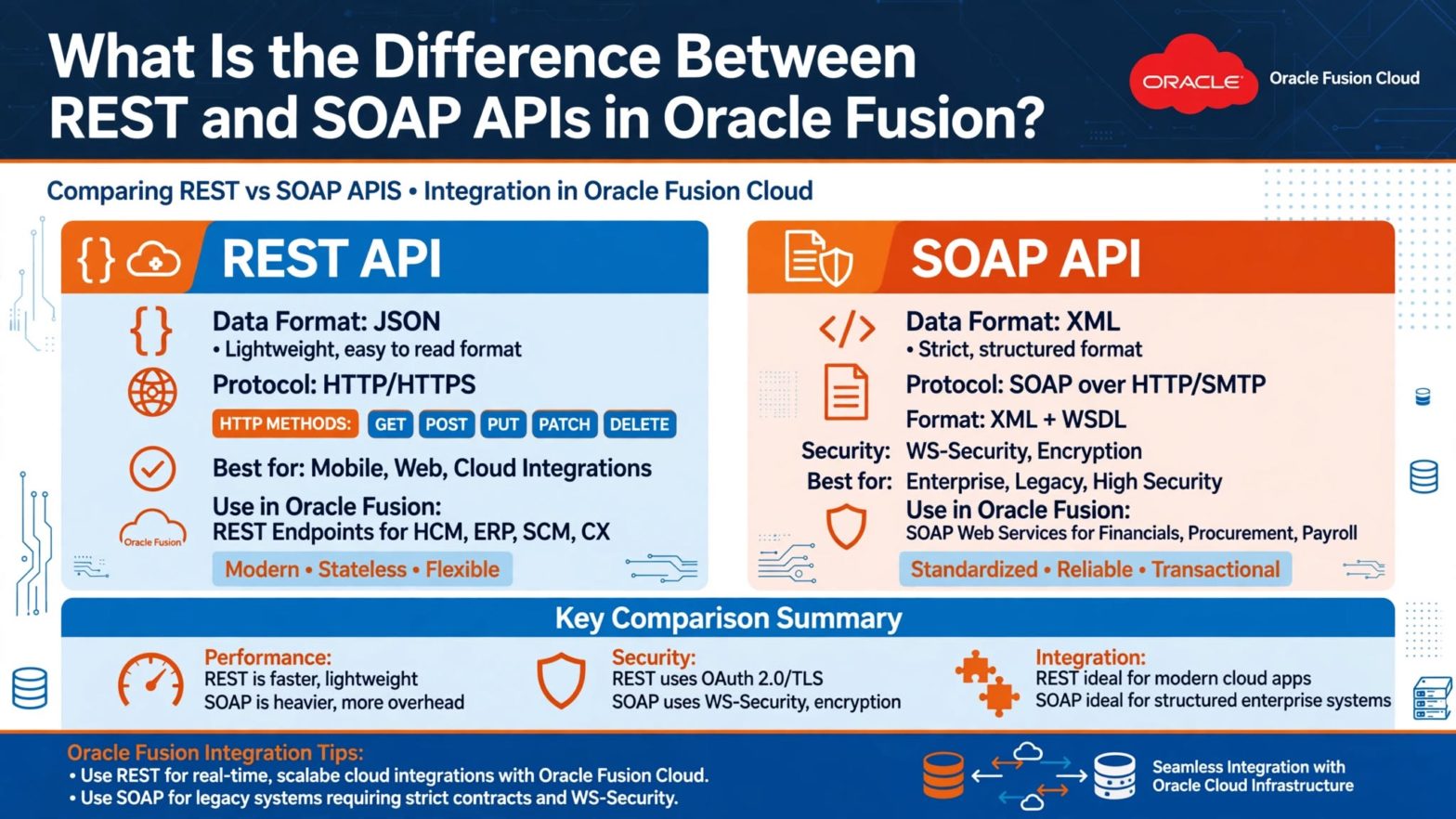
SOAP is the older approach, and you can tell the moment you open one. Every request goes inside an XML envelope, and the whole service is described in a WSDL file. Think of the WSDL as a very detailed menu. It lists every operation, every field, and every data type the service understands.

In Oracle Fusion you can usually pull up that WSDL by adding ”?WSDL” to the end of a service URL. Load it into SoapUI and the tool builds a sample request for you. That’s handy, because writing these envelopes by hand gets old quickly.

SOAP is strict, and that cuts both ways. It can feel heavy when you just want to read one record. But if your request matches the contract, you know what you’re going to get back. Security is handled with standards like WS-Security, which is one reason big enterprises have trusted it for so long.

What REST Feels Like Instead

REST is a lot more relaxed. Instead of an envelope, you work with plain HTTP. Business objects like invoices, suppliers, or workers show up as resources with their own URLs. You GET to read, POST to create, PATCH to update, and DELETE to remove. Data usually comes back as JSON, which you can actually read without squinting.

The first time most learners try a REST call in Postman, there’s a small ”oh, that’s it?” moment. No WSDL to import, no envelope to build. You paste a URL, add your credentials, and hit send. A few seconds later you’re looking at real data from your Fusion instance.

That low barrier is a big reason REST has become the default for most new work.

REST vs SOAP Side by Side: How We Explain It in Oracle Fusion Technical Training in Chennai 

When someone in an Oracle Fusion Technical Training in Chennai session asks for the short version, here’s what we say.

Format comes first: SOAP only speaks XML, while REST mostly uses JSON, which is lighter and easier to debug when something breaks at 11 pm. SOAP locks everything into a WSDL contract, whereas REST is looser and relies on documentation. Those lighter messages also make REST faster. Errors differ too: REST returns plain HTTP codes like 404, while SOAP buries faults inside the XML. And SOAP pushes nearly everything through POST, whereas REST uses HTTP verbs as intended, so calls read easily. Neither is better across the board; they suit different situations. 

When SOAP Still Makes Sense

It’s tempting to write SOAP off as outdated, but that would be a mistake. Plenty of real projects still depend on it.

Some Oracle Fusion services were delivered as SOAP first, and certain ERP integration and process submission operations have been used that way for years. If you’ve inherited an integration built on SOAP and it works, rewriting it just to be modern rarely pays off.

SOAP also fits well when your company’s middleware already runs on WSDL contracts. And sometimes you simply don’t get a choice, because the third-party system on the other end only speaks SOAP. In that case you match the other side and move on.

When REST Is the Better Pick

For anything new, most consultants start with REST, and Oracle’s own direction points that way too. Newer features tend to arrive with REST support, and the documentation and examples keep growing.

REST works well for light integrations, quick data lookups, mobile or web front ends, and anything built with tools like Oracle Integration or a bit of scripting. If a developer needs to fetch invoice details or update a supplier record without much ceremony, REST gets them there faster.

Here’s a rule of thumb a lot of us use on projects. First check whether a REST API exists for the object you need and whether it covers your use case. If yes, start there. Only fall back to SOAP when REST can’t do the job or the existing setup demands it.

Getting Hands-On with Oracle Fusion Technical Training in Chennai 

You can read comparisons all day, but the difference really sticks once you’ve made both kinds of calls yourself. A good exercise is to pick one business object, say a supplier, and work with it twice. First open the SOAP service’s WSDL in SoapUI, send a request, and study the XML that comes back. Then call the REST resource in Postman, read the JSON, and try a PATCH to change a field.

Doing both on the same object makes the contrast obvious in a way no chart can. That’s why practical labs are the core of any good Oracle Fusion Technical Training in Chennai program. You see authentication, payloads, error messages, and response times side by side. It also helps in interviews, since ”when would you choose REST over SOAP?” comes up all the time.

A few mistakes show up again and again. Some people write SOAP off entirely and then struggle when a project needs it. Others use REST for everything without checking whether the operation is supported. And plenty of people lose hours to something small, like a wrong WSDL endpoint, a missing version number in a REST URL, or a bad credential. Test early, in a non-production environment, and keep the documentation for your release open in another tab.

Conclusion

REST and SOAP are simply two ways of letting other systems talk to Oracle Fusion. SOAP is structured, XML-based, and contract-driven, which suits older or tightly governed integrations. REST is lighter, JSON-friendly, and quick to try, so it’s the usual starting point today. A good developer is comfortable with both and knows when each earns its place.

If you’d like to build that confidence through real practice, Soft Online Training offers Oracle Fusion Technical Training in Chennai with hands-on sessions that walk you through both styles, one call at a time. This week, try one SOAP request and one REST request on the same object, and you’ll understand the difference far better than any article can explain it. 

Check the Currency Before You Apply an On-Account Credit


Introduction 

A customer has an on-account credit and wants to use it against an overdue invoice in another currency. At Soft Online Training, this is one of the scenarios we use to show learners where a quick fix can go wrong. After conversion the two amounts look almost equal, and applying the credit would make the account look tidy.

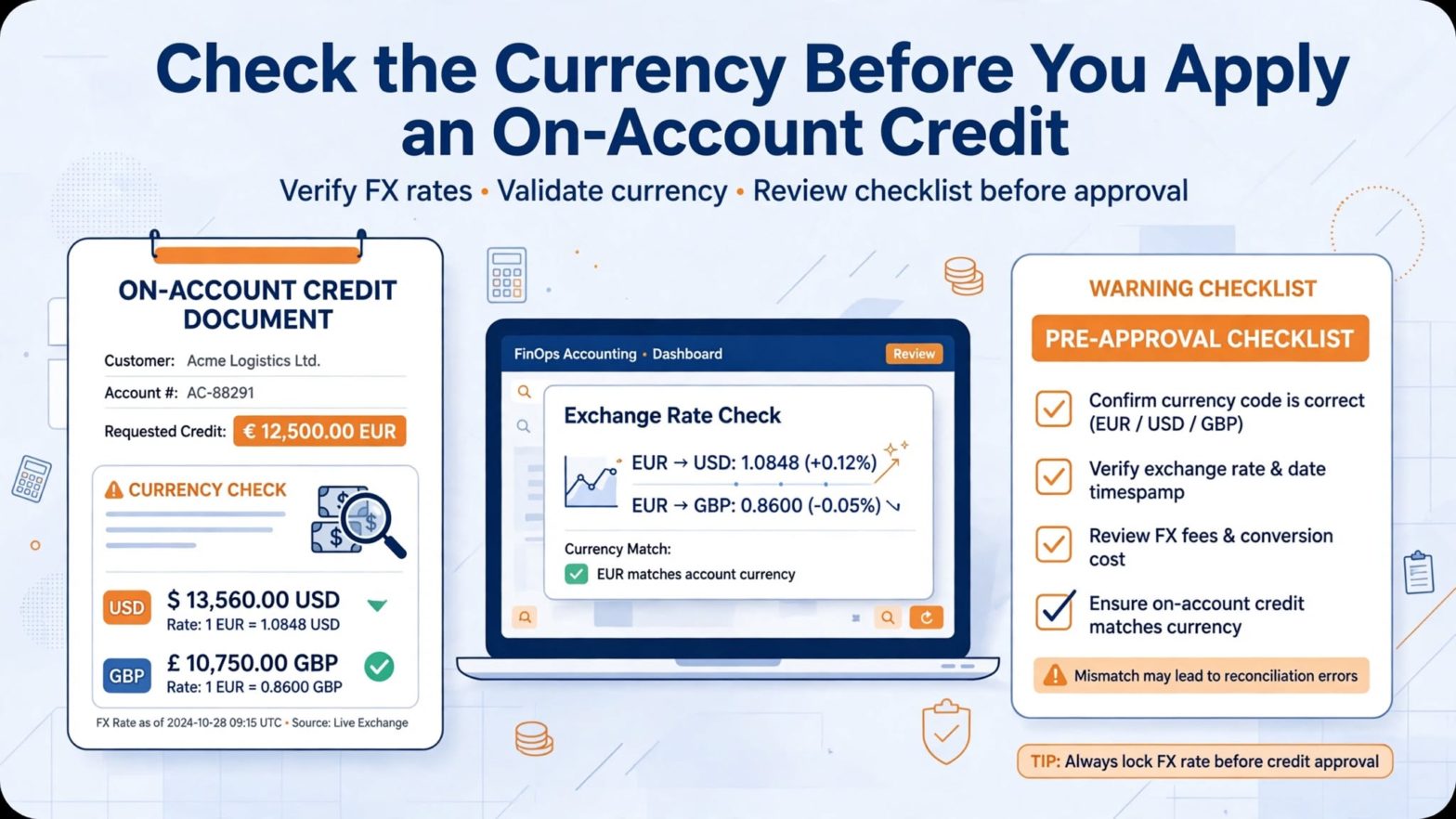
But the rule has nothing to do with exchange rates. An on-account credit can be applied to transactions or refunds, and its currency must match the transaction it is applied to. That is a point worth practicing in Oracle Fusion Financials Training in Chennai, because similar value doesn’t make two currencies interchangeable here.

Learn the Credit Type First in Oracle Fusion Financials Training in Chennai

Before picking a target, confirm what you are holding. It should be an on-account credit memo, not an unapplied receipt and not a standard credit memo that is still tied to a transaction. Each of these follows different rules, and mixing them up is where most mistakes begin.

Note down the customer account, status, currency, remaining amount, transaction date, and the business reason behind the credit. Only completed credit memos show up in credit memo search, so if an item seems to be missing, look at its source rather than the application window.

Then find out what the customer actually asked for. ”Use my credit” could mean a specific invoice, the oldest debt, a refund, or simply keeping it for later. Keep a record of the instruction and check that the requester is authorized. Don’t choose an invoice just because it makes the balance come out neatly. A good application links three things: a valid credit, an eligible target, and documented intent. If any of the three is unclear, leave the credit available until the owner sorts it out.

Run the Currency Check Before Comparing Amounts 

Oracle’s guidelines for applying receipts and on-account credit memos say that cross-currency applications aren’t available for on-account credit memos. The credit and the transaction must share a currency. Do this check before looking at dates or amounts.

A converted figure on a customer statement or in a spreadsheet doesn’t change the currencies on the transactions. It might help a commercial conversation, but it doesn’t make the application eligible.

In our scenario, the overdue invoice fails right at this step. Don’t edit the currency, create a balancing line, or invent a rate to force a match. Send the request to the right receivables owner so they can propose a supported alternative based on company policy and the commercial facts. Write down why the invoice was ineligible so nobody repeats the attempt next week.

Don’t Borrow Receipt Rules for Credit Memos 

Receipts feel more flexible, so people carry those habits over to credits. When a receipt and a transaction share a foreign currency, you can enter conversion rate details, and a rate change at GL posting may create a realized gain or loss. Receipts can also be applied across unrelated customers if the system option allows it, and paying relationships can support payment within a hierarchy.

None of that lets an on-account credit cross currencies. In training, keep customer relationships and currency in separate columns. A target can pass on customer authority but fail on currency, or the other way around, and passing one test never cancels another. 

Allocate Partially and Show What Is Left

When a same-currency target is eligible, you can apply all or part of the credit to one item or spread it over several. Before entering anything, list each target with its open balance, the amount you plan to apply, and the credit that remains afterward. With several invoices, this schedule stops the first application from using up value meant for a later one, and it explains any residual credit left on account.

Check the result against what the customer asked for, not just against zero.

Also, don’t promise a discount. Receivables don’t calculate discounts when you apply on-account credit memos. If the customer expects the credit to keep or trigger a discount, raise that before posting. Explain the remaining balance using the real credit and transaction amounts. A calculation can look reasonable and still disagree with the balance the customer expected if the conversation assumed a discount that the system won’t give.

Treat Refunds and Transactions as Different Targets

On-account credit memos can be applied to transactions and refunds only. That defines the eligible categories, but it doesn’t make every request in those categories appropriate. For a transaction, check currency, customer context, completeness, open balance, and the intended allocation. For a refund, follow your organization’s authorization and payment controls on top of application eligibility. A request to ”cash out” the credit isn’t approved. Keep the receivables evidence linked to the separate approval that supports releasing money.

Build your review evidence around before-and-after balances: the credit available, each target’s open amount, every amount applied, the residual credit, and the resulting debit balances. Confirm the application history names the intended items. If you have to reverse or adjust an error, keep the original evidence and use the supported correction path. Re-keying unrelated activity to imitate the desired net balance weakens the audit trail and can start a second dispute.

Practice Near-Match Cases in Oracle Fusion Financials Training in Chennai

One obvious rejection teaches very little, so give learners a richer exercise. Present three invoices: one with the right customer and currency, one with the right customer but a different currency, and one with matching currency but unclear customer authority. Add a valid refund request that still lacks approval. Learners judge eligibility and authorization separately, then apply only part of the credit to the permitted targets.

The best answers leave some value unapplied when the evidence doesn’t support using it, even if a zero balance looks tidier. Afterward, a second reviewer should explain every untouched item without the operator’s notes. If the record itself carries the reasoning, the controls are working. 

Conclusion

An on-account credit is an available value, not permission to clear whichever debit looks convenient. Before choosing a target, verify its type, completeness, customer, currency, remaining amount, and documented purpose. Apply the same-currency rule first, keep credit behavior separate from receipt behavior, avoid assumed discounts, and require approval for any refund.

Once the valid portion is applied, reconcile partial applications and residual balances to what the customer actually asked for. Near-match exercises in Oracle Fusion Financials Training in Chennai build the right instinct here: explain why each amount may move before trying to make the account look settled. 

Pick the Valuation Basis First, Then Move the Asset Between Books


Introduction

A production machine is moving from one entity to another, and the receiving team expects to see the same asset history on Monday. At Tech Leads IT, we see this confusion often in Oracle Cloud Financials Online Training, because ”the same asset” means different things to different people. One accountant pictures the original cost with the reserve intact, while another pictures a fresh asset at net book value.

That is why a lesson starts before anyone submits anything. In Oracle Cloud Financials Training Online, learners should pin down the books, ledgers, entities, valuation basis, charges, and accounting evidence that must cross the boundary. The transfer method decides how the move looks on both sides. 

Start With the Asset Record, Not the Truck

Before touching the transfer screen, write down the asset as it stands today. Capture the source book, assignment, cost, accumulated depreciation, net book value, location, and the responsible employee if one applies. Add the destination book, the transfer date, and the reason the receiving entity will control the machine.

This small habit prevents a common review mistake: comparing the new record against what people vaguely expected instead of against an approved starting point. It also means any later difference in cost or reserve can be explained rather than argued about.

Why Oracle Cloud Financials Online Training Should Begin With the Ledger Question

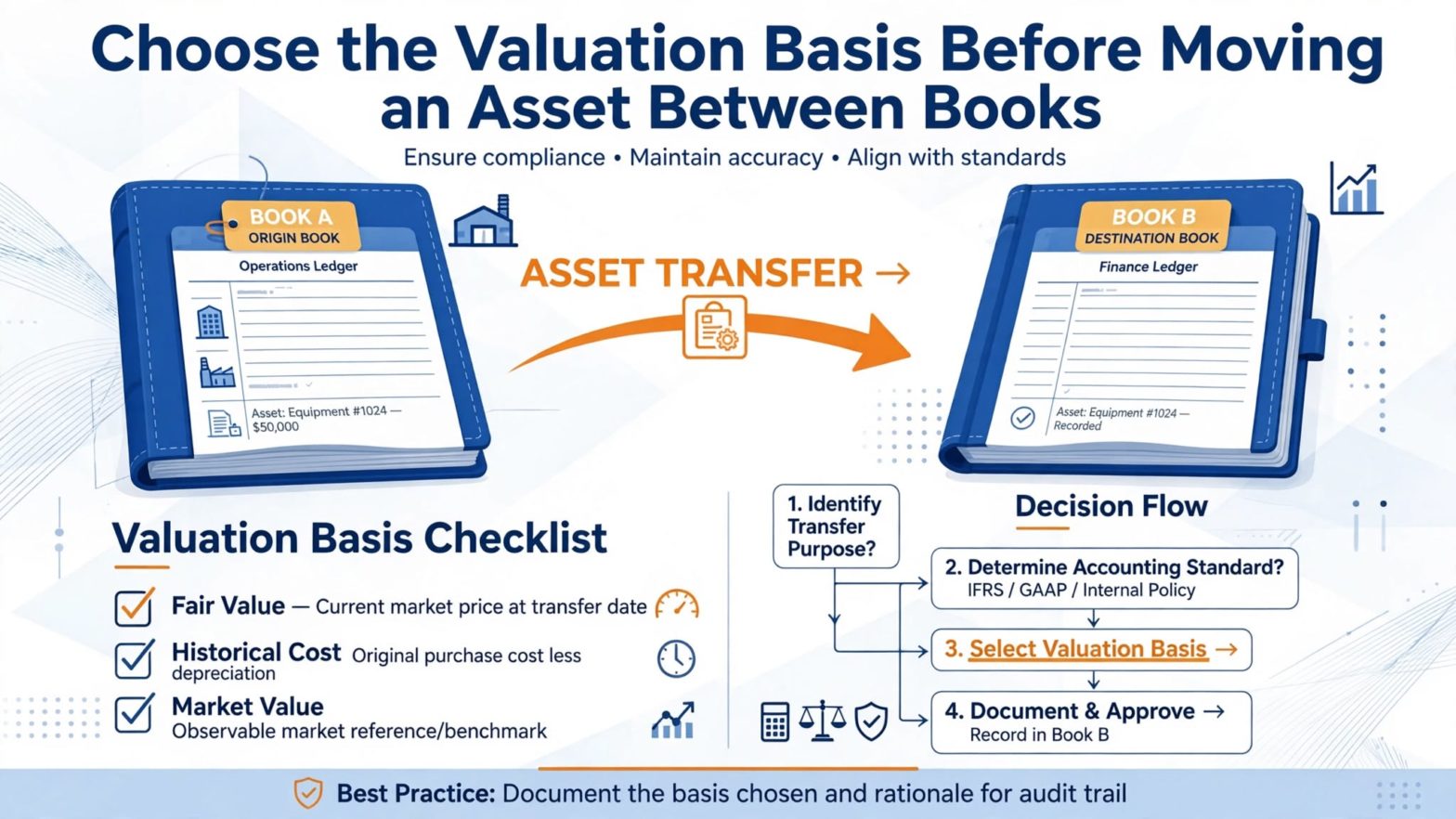
The first real decision is whether the two books sit in the same ledger or in different ones. This matters more than most beginners expect. When a transfer crosses ledgers, the documented valid option is the net book value method, because the movement is treated like a sale between related parties.

So don’t pick a method because of how you’d like a report to look. Establish the ledger relationship first, then use the method that relationship allows. Keep that reasoning with the transfer approval. Months later, when someone asks why the destination asset opened at a particular value, the answer should be sitting right there.

This is the kind of judgment call that Oracle Cloud Financials Online Training should draw out of learners early, because it is a decision, not a click path.

Gross History or Net Opening Value: Pick One on Purpose

A gross transfer and a net book value transfer tell two different stories. With the gross approach, cost and accumulated depreciation stay visible as separate measures in the destination book. With the net book value approach, the destination asset starts with the source asset’s net book value as its cost and zero reserve.

Neither one is a formatting preference. The choice changes the opening asset record and the report columns you will use to trace the event, so reviewers need to know the method before they compare a single balance.

Timing deserves its own checkpoint too. The depreciation reserve used for the transfer comes from the accumulated reserve balance of the period before the transfer period. If a transfer is entered during a busy close, someone may compare it against a reserve built on a different period assumption. Record the reserve basis, the transfer period, and the calculation status together. If the amount looks off, test the timing first. Don’t force an adjustment just to match a worksheet.

Sort Every Extra Charge Before You Submit

Moving a machine rarely costs nothing. There may be freight, removal work, nonrecoverable tax, and miscellaneous fees, and these don’t all behave the same way. Under current guidance, charges other than removal costs are capitalized into the destination asset and included in the intercompany receivable the receiving entity owes. Removal cost is the exception.

Build a simple charge schedule with the amount, the business evidence, the classification, and the expected treatment in the destination. A single total hides the one category that needs different handling.

Picture a crate invoice that covers both dismantling and transport. The combined number is convenient, but it isn’t enough accounting evidence. Split it into supported components before processing, and have the right owner approve the classification. Please don’t relabel dismantling as freight just so the whole invoice can be capitalized. After the transfer, reconcile the destination addition and the intercompany amount to the eligible charges, then show separately where the removal cost was recorded under your organization’s policy.

Read the Source and Destination Accounting as One Event

The source book and the destination book each produce their own balanced entries. The source clears out its asset balances, and the destination establishes opening ones. Where the balancing segment values differ, intercompany entries are generated as part of the transfer accounting.

That is why checking only one side is a trap. A balanced source entry doesn’t prove the receiving record opened the way you intended, and a believable destination cost doesn’t prove the source was cleared properly. Pair the entries by asset, date, method, and counterparty.

The predefined book-transfer accounting uses receivables and payables natural accounts from the respective book controls. If your chart also needs a populated intercompany segment, the accounting rules can pull counterparty book and balancing segment sources through an account rule or mapping set. Treat that as controlled setup, not a patch you apply at transaction time. And test both directions. The source sees the destination as its counterparty, and the destination sees the source. A one-sided mapping can leave you with journals that balance perfectly yet tell you nothing useful about the counterparty.

Reconcile With Reports That Match the Method

For a Gross transfer, cost shows up as a negative book-transfer amount in the source and a positive one in the destination, with reserve reporting supporting the carried history. That behavior does not apply to the net book value method. In a net transfer, the source net book value appears as a retirement and the destination amount appears as an addition.

Use the report columns that fit the method. Otherwise a perfectly correct transfer can look like it never happened, simply because the reviewer searched only the book-transfer column.

Keep the reconciliation compact, with four lines: source removal, destination opening, eligible added charges, and the intercompany pair. Tie each line to the asset inquiry and the relevant cost or reserve report. Check the destination assignment as well. The value can be right while the location or employee ownership is wrong. Finally, compare the method-specific presentation you expected with what was actually posted. The goal isn’t just equal debits and credits. It’s a traceable handoff from one controlled asset record to another.

How Oracle Cloud Financials Training Online Can Turn This Into a Test Case

The best way to make this stick is to build the exercise around a choice, not a click path. Use two versions of the same machine. In the first, both books share a Ledger and the approved design calls for visible Gross history. In the second, the books sit in different ledgers, so net book value is the valid route. Add one combined vendor bill containing both removal and freight.

Before processing either case, ask learners to predict the destination cost, reserve, eligible charges, intercompany balances, and report columns. Their predictions show quickly whether they understand the boundary or are simply following memorized navigation. That’s where a well-designed Oracle Cloud Financials Training Online session earns its keep.

Then add a twist: a mapping defect that leaves out the counterparty segment on one side. The Journals may still balance, so learners have to inspect segment detail rather than stop at the totals. Fix the setup through the governed accounting-rule process, and rerun only in a suitable test environment.

The lesson Underneath is practical. Transaction accuracy, accounting balance, and Analytical usefulness are three separate checks. A credible transfer review proves all three without Inventing manual Journals to hide a configuration problem.

Conclusion

An interbook asset transfer works when the valuation logic is clear before the machine moves in the records. Confirm the Ledger relationship, choose the permitted method, fix the reserve basis, separate removal costs from capitalizable charges, and review the paired source and destination accounting. Then use inquiry and method-appropriate report columns to prove the handoff.

A scenario built around gross and net alternatives gives learners a lasting habit: decide what crosses the boundary first, and let the entries confirm that decision on both sides. That’s the kind of control habit strong Oracle Cloud Financials Online Training should leave behind. 

Trace a Missing Invoice Back Through Payment Selection Rules


Introduction

A treasury analyst sets tomorrow as the payment date and submits the regular supplier run, but an urgent invoice never shows up. That is exactly the kind of puzzle Tech Leads IT uses in its Oracle Fusion Financials Online Training sessions. The invoice is approved, unpaid, and due, so everyone stares at the payment date, which is the wrong place to look.

The payment date only describes the payment that will be created. It cannot pull an installment into a request the selection criteria already shut out. In this Oracle Fusion Financials Training guide and Oracle Fusion Financials Course walkthrough, we trace a missing invoice step by step. 

Start Your Oracle Fusion Financials Training at the Selection Boundary

Before diagnosing anything, write down the request exactly as it was submitted. That means whether it came from a template or was entered manually, the run time, the pay-from and pay-through dates, the date basis, priority range, pay groups, currencies, business units, legal entities, supplier filters, invoice group, and payment method. Then record the same values for the missing installment.

This side-by-side record beats a screenshot of an empty result, because it turns an absence into something you can compare. Resist shortcuts like ”all domestic invoices” or ”everything due this week.” Those are assumptions, and assumptions are exactly what hide the mismatch.

Remember too that the request selects installments, not invoice headers. One invoice can carry several installments with different due dates or payment details, so you need to diagnose the specific installment you expected to see. Confirm it’s available for payment under your organization’s process, but don’t stop there. Approval and due status are useful context, not proof of selection. The installment also has to fit every active criterion on the request, along with the servicing relationships behind those criteria. A single quiet mismatch is enough to leave it outside the selected group.

A useful rule of thumb: if you can’t state in one sentence which criterion excluded the installment, you haven’t finished diagnosing. ”Probably the date” is a guess, not a finding. Keep going until the evidence names a boundary.

Date Basis Is Logic, Not a Label

The pay-from date is the earliest due date the request admits, and the pay-through date is the latest. The date basis then shapes which installments get selected and whether a discount is taken. So a statement like ”it’s due before Friday” tells you very little until you also know which basis the request used.

Take an invoice with an available discount. Under one basis the relevant date might be the discount date, under another it might be the due date, and the request could treat the same invoice differently. Write down the due date, the discount dates, the request range, and the basis together before you conclude that the application ignored an eligible invoice.

It’s tempting to fix a date mismatch by stretching the range far into the future. That might bring the urgent invoice in, but it can also drag in installments nobody planned to fund. A better habit is to reproduce the exclusion in a controlled test, change one date-related input, and compare the selected population. You isolate the cause and leave live payment work alone.

It also helps to ask who owns the dates. Due dates usually come from payment terms and the invoice date, so a surprising value often points back to how the invoice was entered, not to the payment request. Check that before touching anything on the payment side. And if the invoice’s own dates turn out to be wrong, fix them through the proper invoice process. Don’t bend a recurring template around a single exception.

Check Organizational and Supplier Filters in Your Oracle Fusion Financials Online Training Labs

Business unit filtering works from two angles. A payment business unit finds installments for the invoice business units it services, while an invoice business unit limits selection to that one unit. In centralized payment processing, service provider setup and user access also affect which invoice groups are available.

So the missing invoice might carry a perfectly familiar invoice group and still belong to a unit the chosen payment business unit doesn’t service. Verify that relationship directly. Don’t copy values from a successful invoice in another unit and assume they apply.

From there, work through a legal entity, supplier or party, supplier type, pay group, currency, payment method, invoice group, and payment priority. The Payment Process Request template treats these as selection criteria, separate from the payment attributes applied later.

The cleanest way to review them is an elimination table with five columns: criterion, request value, installment value, match result, and evidence. It shows overlapping exclusions at a glance. Fixing the first mismatch may still leave the installment out, because a second narrow filter is quietly doing its own work.

Supplier-level details deserve a second look as well. Two suppliers with similar names, or one supplier with several sites, can behave differently against pay group or payment method filters. Compare the actual values on the installment instead of trusting what you assume about the supplier header.

Keep Payment Attributes on Their Side of the Line

Payment attributes cover details like the payment date and the payment process profile. The guidance is explicit that they don’t affect which installments are selected. This is the hinge of the whole scenario. Moving tomorrow’s payment date to today cannot make an excluded installment qualify.

It also means you shouldn’t blame the profile just because an invoice is absent from the selected list. Prove first that selection happened. Only then look at how the selected document will be paid.

Think of it as two questions asked in order. Did the installment get selected? If yes, how will it be paid? Mixing them is how teams end up changing payment dates, profiles, and methods in a panic while the real cause sits untouched in the selection criteria.

Say the urgent installment uses a payment method outside the request criteria. What you do next depends on business intent. If the installment’s method is wrong, correct the source data with proper approval. If the template is simply too narrow for the population you actually want, revise it under change control and check what else the broader value would admit. What you shouldn’t do is overwrite the method just to get one run through. The selected population is a control result, and any correction should respect what the fields actually mean.

Two Review Stops, Two Different Questions

The review installments option pauses the request right after installments are selected. Authorized users can inspect the population, add or remove installments, edit payment or discount amounts, enter user conversion rates, and calculate withholding or interest.

Review proposed payments comes later, after installments have been grouped into payments and before those payments are built. These aren’t duplicate checkpoints. The first asks whether the right obligations came in. The second asks whether grouping turned them into the right proposed payments. It’s worth deciding in advance which runs warrant the first stop and who is authorized to use it, so an urgent day doesn’t become an improvised one.

Templates add a wrinkle. A recurring template can assess cash requirements before submission and schedule regular requests, which is convenient, but convenience breeds staleness. Supplier practices, business unit servicing, currencies, and priorities all shift while the saved criteria stay put. Compare today’s business intent with what the template says, and look at a representative cash requirement view before the next scheduled run. Keep approvals for substantive changes, along with before-and-after selected counts. A template should save repeated typing, not make yesterday’s assumptions invisible.

Prove the Correction Without Broadening the Run by Accident

Once you’ve corrected the real mismatch, resubmit in a controlled cycle and inspect the selected installments output. Confirm the target installment appears exactly once, and that the overall population changed only in the ways you expected. Then move on to payment attributes, grouping, validation results, and proposed payments.

Watch for pauses too. If the request stops on an issue that needs input, look into it, even when the template was set up for high automation. Processing issues can still halt a run. A completed submission isn’t proof that every intended item moved forward.

Keep a short note of what changed, why, and the selected counts before and after. Six months from now, whoever inherits the template will be glad it exists.

Build an Oracle Fusion Financials Course Practice Case with Three Near-Identical Installments

For practice, set up three nearly identical installments. Exclude the first through its payment priority, the second through an invoice business unit the payment unit doesn’t service, and the third through the pay-through boundary. Then put a convincing payment date on the request.

Ask learners to predict the selected set before running anything, then explain every absence from evidence rather than instinct. Finally, change only the payment date and watch the selection stay exactly the same.

That small experiment replaces a vague troubleshooting habit with a precise model of criteria, attributes, and later processing options. It also gives instructors an easy way to see who actually understands the boundary and who is still guessing.

Conclusion

A missing installment is much easier to explain once you split the request into stages. Compare it against every active selection criterion: dates, basis, organizational scope, supplier, currency, method, group, and priority. Treat the payment date and profile as attributes of selected work, never as levers for selection, as any Oracle Fusion Financials Training teaches.

Use installment review and proposed payment review for their separate jobs, then prove your correction changed only the intended population. In any Oracle Fusion Financials Course, ask one durable question: at which boundary did the invoice stop, and what evidence defines it?  

A Card Refund Changes Its Correction Path After Remittance

Introduction

Imagine a customer is owed a partial refund on their credit card, but someone enters the full unapplied receipt amount by mistake. At Soft Online Training, we teach this scenario in our Oracle Fusion Financials Training in Hyderabad because one simple question settles the whole correction: has the negative miscellaneous receipt that Fusion generated been approved and remitted yet?

If it hasn’t, you fix the refund application itself. If it has, you first check whether the money actually reached the customer’s card. When the funds arrive, you raise a debit memo to recover the excess, and when they don’t, you reverse the negative receipt.

Start With the Original Receipt, Not the Refund

A manual credit card refund sends all or part of a previously remitted card receipt back to the customer’s card. So start with that original receipt. Confirm how much of it is still unapplied, then compare that figure with what was actually refunded.

This tells you what kind of mistake you’re dealing with: a refund nobody wanted, a refund that’s too large, or something else tied to the same card payment.

Applying the refund against the unapplied amount creates a negative miscellaneous receipt. Create Automatic Remittances then Picks that receipt up so funds can travel from your bank account to the customer’s card. The receipt application and the negative receipt are two halves of one flow, and the remittance step is where the options change.

What Oracle Fusion Financials Training in Hyderabad Should Cover About Refund Setup

Good Oracle Fusion Financials Training in Hyderabad doesn’t stop at the correction steps. It also shows learners how the setup shapes them.

The funds-capture setup lives in Payments. A Credit Card Refund receivables activity points to the general Ledger clearing account, and lookup values ​​supply the refund reasons. The original card transactions use a receipt class with an Automatic creation method and a Standard remittance method, and the negative miscellaneous receipt inherits that remittance method from the original receipt.

One detail trips people up: refunds don’t need authorization to move funds back to the card the way card payments do. If your organization wants an approval step, it has to build that into its own process. So when something goes wrong, don’t assume approval happened. Check what was actually recorded: is the negative receipt unapproved and unremitted, or approved and remitted?

Before Remittance: Remove the Refund or Resize It

If the negative receipt has not been approved and remitted, you have two straightforward fixes.

To cancel the refund entirely, unapply the credit card refund application line from the original receipt. Receivables reverses the negative miscellaneous receipt and creates the journal entries that go with it. Nothing continues from that application.

To keep the refund but change its size, edit the amount applied on the credit card refund application. Receivables don’t simply overwrite the old figure. It reverses the original negative receipt and creates a new one for the corrected amount, and that new receipt is what moves on toward remittance.

For our partial-refund mistake, the choice is simple. If the customer is owed nothing, unapply the line. If they’re owed a smaller amount, change the applied amount. Both routes reverse the existing negative receipt, but only the amount change produces a replacement. Check that replacement against the refund you meant to give before it reaches remittance.

After Remittance: Check Whether the Money Arrived

Once the negative receipt has been approved and remitted, the original application is no longer the only thing that matters. Remittance is a checkpoint, but it doesn’t prove delivery. Use the processor or bank result to see whether the transfer actually completed.

That one fact splits the path in two. A completed transfer means recovery through a debit memo. A failed transfer means reversing the negative receipt.

Delivered Funds Call for a Debit Memo

When the funds reach the customer’s account, reversing an internal record won’t get the excess back, because the money has already left your organization. Create a debit memo to bill the customer for the balance due.

For an excessive partial refund, bill only the amount that was over-delivered. That keeps a clear line between what the bank confirmed and the receivable you created afterward.

When the Transfer Failed, Reverse and Reapply

If the funds never reached the customer, reverse the negative miscellaneous receipt. The reversal unapplies the refund from the original payment. If the customer is still owed a valid refund, apply a new refund application to the original payment for the right amount.

This puts things back where they started before you try again, and you don’t bill the customer for money they never received.

An expired card is a good example. Payments can still attempt a refund to an expired card, since cards are often reissued with new dates. If the card expires without being reissued, the issuer declines the transaction and Payments reverses the refund. The rule stays the same: no transfer, so reverse, and reapply if a valid refund is still due.

Practicing the Four Cases in Oracle Fusion Financials Training in Hyderabad

The easiest way to make this stick is to run four short cases, each changing one decisive fact. This kind of drill works well in Oracle Fusion Financials Training in Hyderabad because learners can see the action follow the state, not the size of the error.

  • Before remittance, refund unwanted: unapply the application line.
  • Before remittance, refund too large but still valid: change the applied amount and let Receivables generate the corrected negative receipt.
  • After remittance, transfer succeeded: raise a debit memo for the excess.
  • After remittance, transfer failed: reverse the negative receipt and, if needed, create a new application.

Then check the records at each endpoint. A withdrawn refund should show the negative receipt reversed. A resized refund should show that reversal plus a new negative receipt at the corrected amount. The delivered-funds case should carry a debit memo for the balance due. The failed-transfer case should show the negative receipt reversed and the refund unapplied from the original payment, with any corrected refund starting as a fresh application.

Conclusion 

Card-refund correction comes down to one checkpoint. Before approval and remittance, unapply an unwanted refund or change the application amount, and Receivables reverses and replaces the negative receipt as needed. After remittance, confirm delivery first: money that arrived needs a debit memo, and money that didn’t need a reversal and, where appropriate, a new refund application. An Oracle Fusion Financials Training in Hyderabad helps this stay with you by tying each action to the exact state and transfer result that calls for it.